
It’s never too late to learn something new.
Maybe you’ve told yourself you’re “not techy” or that photography is for professionals. I get it. But creativity can bloom with just a phone in your pocket. This simple iPhone feature turned a regular walk into a delightful adventure—and I know it can do the same for you.
Creativity in Bloom
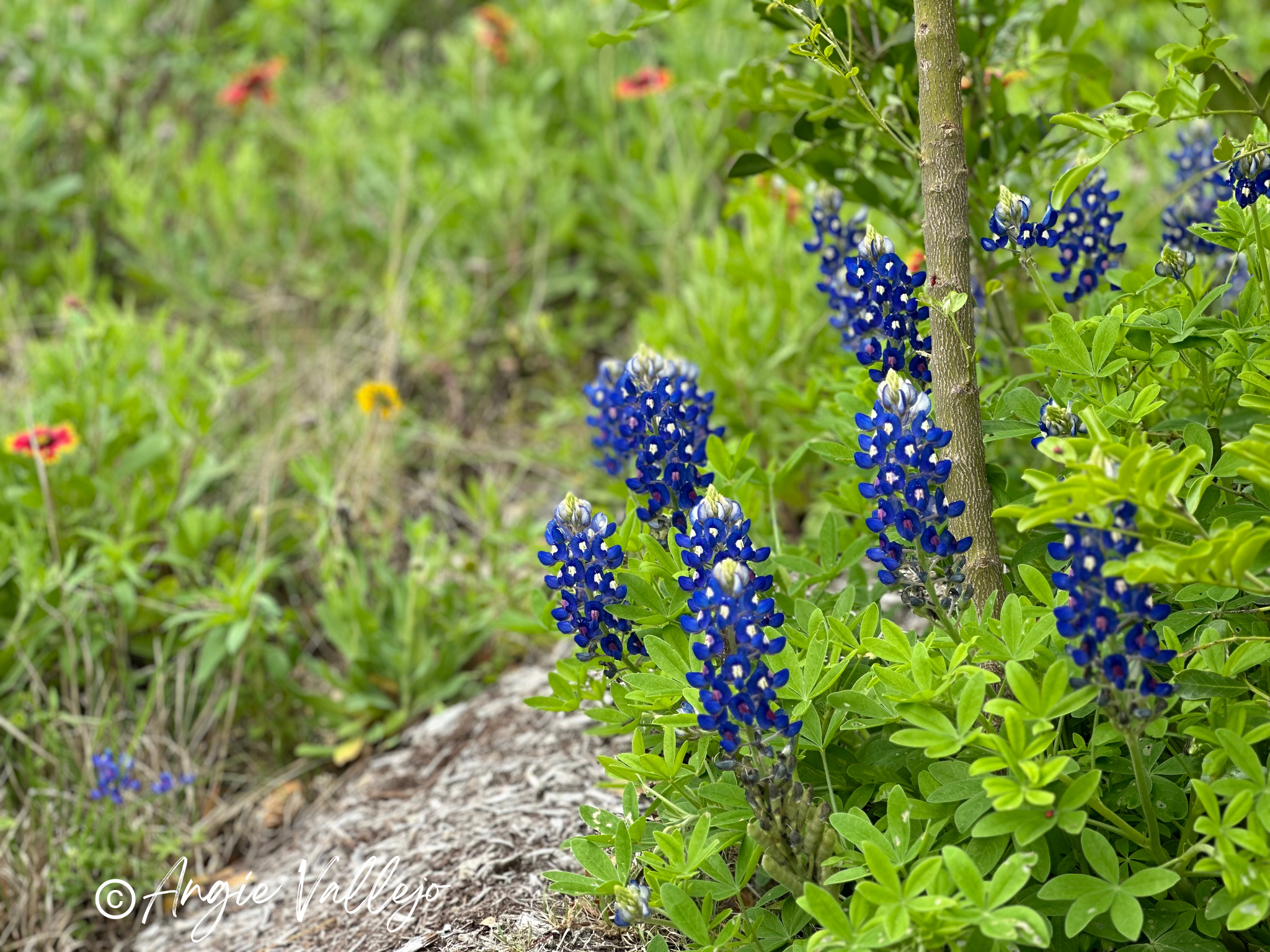
It’s wildflower season where I live, and this year the blooms are more vibrant and abundant than ever! Delicate petals in purples, pinks, and reds color the landscape—a sure sign of spring in full swing.

With mild temperatures and blue skies, the season invites us to slow down and step outside. Local parks and nature trails are filled with flowering plants—some familiar, others a mystery. Even after 20 years in this region, I still come across wildflowers I can’t name.
A Simple iPhone Feature Changed Everything
On a recent walk through our city park, my husband introduced me to a tool built right into my iPhone (I have the 14 Pro). It’s the “Look Up Plant” feature—and it completely changed how I experienced the walk. This tool allowed me to identify nearly every flower I photographed. I was amazed at how fun it was to learn more about the natural beauty all around me!
How to Use the “Look Up Plant” Feature
1. Take a photo of the plant or flower using your iPhone’s Camera app.
2. Tap the photo thumbnail (bottom left of the screen) to open it.
3. Look for the “i” icon at the bottom menu and top it. This brings up photo details.

4. You’ll see options like adding a caption or viewing the location. If the plant can be identified, you’ll see a leaf icon with the words “Look Up Plant.“

5. Tapping “Look up Plant” to see the plant’s name and related information.

6. If an exact match isn’t available, you may be shown a few options. Choose the one that best fits—or enjoy learning a new name you hadn’t heard before!

Small Discoveries Lead to Creative Joy
Using this feature added a whole new layer to my walk. What started as a casual stroll became a nature treasure hunt! I snapped several photos and plan to use them in a colorful scrapbook layout soon.
It reminded me that creativity often begins with curiosity. It’s not about being a pro—it’s about pausing long enough to notice something beautiful and letting that moment inspire you.

Ready to Try It?
You don’t need fancy gear to enjoy photography. Your camera phone is a creative tool—explore, snap, and learn something new each time! Whether you’re capturing wildflowers or simply playing with light and color, each photo is a little practice in seeing beauty.
Disclosure: The feature photo are Bluebonnets – the Texas State flower and debut in mid-March. All photos are property of Angie Vallejo.









I'd love to hear what you think!